
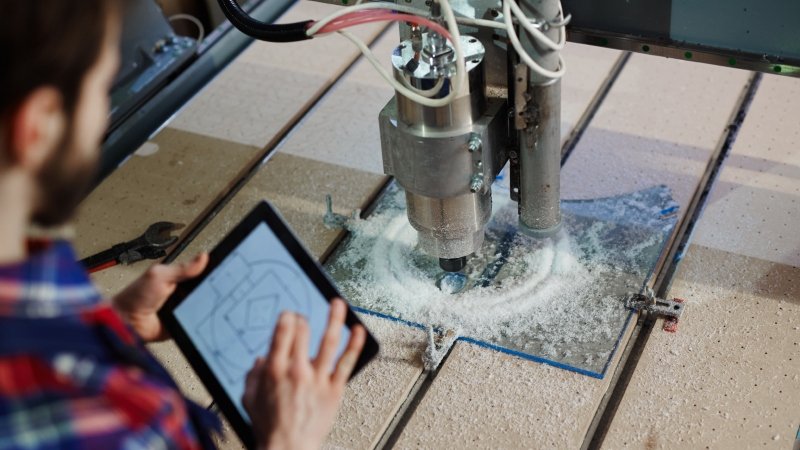
CNC routing is an incredibly efficient way to transform plastic sheets into intricate parts, signage, and bespoke components. Whether you’re a property developer working on a large-scale project or a DIY enthusiast crafting a custom home feature, the precision of computer-controlled cutting is hard to beat. However, achieving that flawless finish requires more than just pushing a button.
Even with high-end equipment, small errors in setup or execution can lead to wasted material and frustrating delays. By understanding the typical pitfalls of the process, you can guide your team to complete projects to the highest standard while avoiding unnecessary costs. It’s all about preparation and choosing the right approach for your specific material.
Choosing the Wrong Material for the Job
One of the most frequent errors occurs before the machine even starts. Not all plastics react to heat and cutting forces in the same way. For instance, using a low-quality plastic that designers didn’t create for machining can cause it to melt or chip. If you’re working on a project that requires high precision, it’s vital to select a material like cast acrylic or polycarbonate that can withstand the friction of a spinning bit.
Selecting a professional CNC routing service ensures that the material used is perfectly suited to the intended application. Professionals have years of experience in the industry and understand the unique properties of various sheets, from Hygienic PVC wall cladding to aluminium composite. They can recommend the best thickness and density to prevent the material from warping during the cutting process.
Incorrect Feed Rates and Spindle Speeds
Finding the sweet spot between how fast the router bit spins and how quickly it moves across the material is a common challenge. If the spindle speed is too high while the move speed is too slow, the friction creates excessive heat. This often results in the plastic melting and re-fusing behind the tool, which ruins the edge finish and can even snap the bit.
Conversely, moving the tool too quickly through the material can cause chatter, which leaves unsightly tool marks and ridges along the cut line. To avoid these issues, you should always consult the manufacturer’s chip load charts. These guides help you calculate the perfect balance to ensure the bit removes enough material to stay cool without overstressing the motor or the plastic sheet.
Poor Workholding and Vibration
If a plastic sheet isn’t secured properly to the router bed, it’ll vibrate or shift during the cut. Even a tiny amount of movement can lead to inaccurate dimensions or a rough, furry edge. This is particularly problematic with thinner materials like PVC foamboard or lightweight discs, which can easily lift away from the table due to the upward force of certain router bits. To prevent this, make sure to use:
- Vacuum Beds: Use a high-pressure vacuum system to hold large sheets flat and secure.
- Tabs: If you don’t have a vacuum table, leave small tabs of material to keep the part connected to the main sheet until the cut is finished.
- Clamping: Ensure clamps are positioned away from the tool path to prevent collisions.
- Sacrificial Boards: Use a flat MDF spoiler board underneath to protect the machine and allow the tool to cut cleanly through the bottom of the plastic.
Points to Remember
Mastering CNC routing takes a blend of technical knowledge and high-quality materials. While it’s tempting to rush through the setup phase, taking the time to verify your speeds, sharpen your tools, and secure your workpiece will save you time and money in the long run. Professional results are always a testament to careful planning and a deep understanding of how different plastics behave under the blade.
By keeping these common mistakes in mind, you can approach your next project with confidence. Whether you’re creating complex lettering or structural engineering components, the right technique makes all the difference. Don’t be afraid to experiment with scrap pieces first to dial in your settings before committing to an expensive sheet of material. All so Read!

